Showing posts with label Feature. Show all posts

Saturday, July 2, 2011

Android Browser Wars (Part 3) 2011

In part 3 of Browser Wars, we'll look at the Awesome. These browsers have performances better than the stock browser.

First up is Dolphin HD.

When you first open up the browser you're greeted with some shortcuts.


At the top we have tabs a cross for easy closure.There's also a dedicated exit button to completely close the browser.

Dolphin HD (and Dolphin Mini) offers a slightly smoother scrolling experience than the stock browser.

Performance wise, opening both engadget.com and PhoneDog.com is possible and very doable. Scrolling PhoneDog.com though remains choppy.


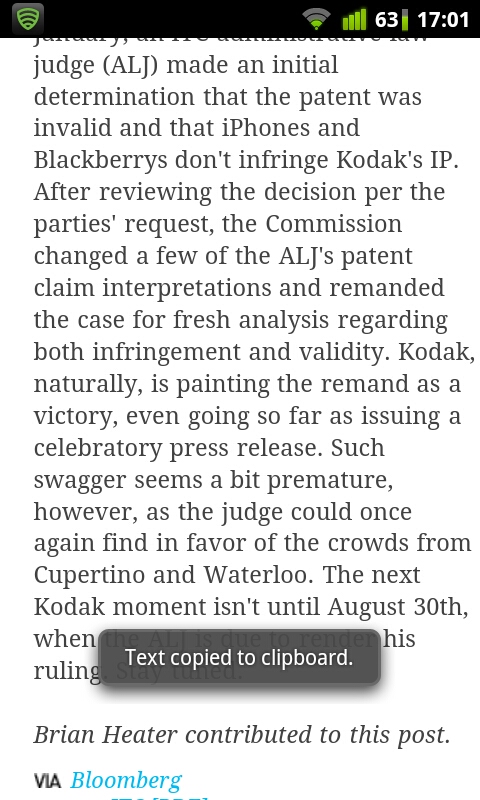
As for text selection, you tap and hold the screen, and two tabs appear. To copy, you tap on the selected texts.


One signature of Dolphin HD is the ability to install Add-Ons, much like the extensions of the desktop Chrome browser.


Next we look at Firefox mobile.


FireFox also allow for installing add ons.


Tabs management of FireFox is a bit different from others. You need to swipe to the right for a side bar to appear on the left. There you can switch between tabs, open new tabs or close them.


Swiping to the left pulls out a sidebar at the right for options.

There is no way to select text in FireFox Mobile. It's not in options, nor a tap and hold.


FireFox appears to be one of the first Android browsers to be hardware accelerated (the other that I know of is Samsung's TouchWiz 4.0 stock browser). So scrolling and pinch zooming is generally smoother than other browsers. The price to pay, however, is checkerboards (an issue also found on Safari in iDevices). FireFox Mobile is one of two browsers I've used that have an extremely reduced jitter and lag when browsing PhoneDog.com. The other will be revealed below.


Pinch zooming is smooth. But again the price to pay for hardware aceleration is a certain blurriness that precedes the refocusing of the page after a few fractions of a second.


One annoying thing is that the exit button is not a default feature, but as an add on.


I must say I like the warning that appears if you have more than one tabs open, just like in desktop browsers.


Another annoyance is that text reflow absolutely fails to work no matter what I do. I have enabled it in settings ('Reformat text on zoom') but the text just won't reflow!

Oh and Firefox Mobile does not appear to support flash content. Though weirdly it has an add-on to enable flash videos for YouTube. Doesn't support the latest FM though.

Next we have Opera Mobile.


Like most browsers you're greeted with shortcuts/bookmarks when you launch the browser.


Opera Mobile does have an exit button that was just added to the v11.1 update that you need to enable in settings. It, however, does not really close the browser like how others do. The exit button closes the browser, but retains the last viewed pages' URL, and will reload those pages upon reopening the browser. Weird feature that I'm sure more than a few will find useful. Not me though. I like proper closures.


Tab management is a bit confusing to use at first. To close a tab you actually need to tap the cross TWICE to close it. After your first tap the cross magnifies, and the second tap closes it. I guess it's a 'you sure you wanna close?' feature? I don't know.

Text reflow is a bit slower than Dolphin HD, but still manageable.


The new v11.1 update also brings improvement to text selection. To select text, you just tap and hold just like in the stock browser. The two tabs will appear and you drag around, just like in stock browser. When you tap select, there're several things you can do with the selection.

Scrolling and pinch zooming is the best among all browsers. The performance of Opera Mobile is simply superb. I can open Engadget and PhoneDog in separate tabs and they remain smooth scrolling. I cannot confirm whether Opera Mobile is hardware accelerated or not, since Opera has always been a server rendering browser where the heavy lifting is done by Opera servers and hence reducing the load on the phone. Whatever it is, Opera Mobile simply rocks in terms of scrolling and pinch zooming. There're no checkerboarding whatsoever.


Flash works well too. Videos on youtube load just nice.


My gripe with the browser is that you cannot select to share links straight from the browser, but need to go through the options menu. Other browsers have the 'Share Links' option when you tap and hold a link.

Please tell me what you think! See you next time!

Friday, July 1, 2011

Android Browser Wars (Part 2) 2011

In this part 2 of Browser Wars, I'll be reviewing the Whatevs'. These browsers do not offer a great deal of performance improvements.

Let's take look at Skyfire. Skyfire appears to have a following despite its shortcomings. I have no idea why. Maybe it appears on the Market higher than other browsers.


The first thing you'll realise when you launch the browser is that it requires a plugin to play videos. If memory serves me right it's a feature of Skyfire to compile the videos available on a page and lets you play them just by going through the list. Apparently the feature was made into a value-added feature.


It appears that I still can play youtube on the mobile site, but it'll launch the built-in flash player. No biggie. The biggie is that I can never load the desktop version of youtube without it bouncing me back to the mobile site. I even made damn sure it's loading in desktop mode!! Annoying!!


For facebook junkies, there's a tab at the bottom that has shortcuts to sharing the page you're currently viewing. Yay!!

Other than that it pretty much performs just like the stock browser: ok on full sites, extreme choppiness on PhoneDog.com.


Oh and Skyfire doesn't have a dedicated exit button either! How neat! The worst part is that it's harder to perform the 'close tab and minimise' trick as on the stock browser because there simply is no close tab button for when there's one and only one tab open. Damn!!!


It's only when you decide to hit the back button once more to realise an exit function does exit. But it only appears after you've back-ed all the way to the default page.


As for text selection, there's no long tap and hold feature. You'll have to go into options and tap 'select text'


Then a cursor will appear which is beyond useless at this time of touchscreen interfaces.


You tap on any place on the page and the 2 slider things will appear.

Skyfire deserves a 5/10. It offers what appears to be more features, but the lack of a close tab button for when there's only one tab ticks me off. Oh did I mention I hate the 'download the plugin now!' prompt from time to time? No performance boost keeps me away from skyfire.

Next we have Maxthon Browser.


Upon launching, you will be greeted with 3 pages. Starting with the left most, you see suggested shortcut sites. Swipe to the right you'll see bookmarks. Lastly at the rightmost you see your browsing history.


One thing I noticed about Maxthon browser is that it has this Safari-esque thing that clears the URL field when you tap on the cross. Very handy when you do not want to 'select all -> backspace' to clear the URL.


The annoying thing with Maxthon is that it requires gestures to fully use the browser. Opening new tabs is not possible without gestures. So is moving between tabs. Not something I like doing. Lazy to test how it performs when opening 2 webpages.

Personally don't see myself using this browser as I prefer my browser to be less gimmicky.

Next we look at xScope Browser.


On the surface it has some resemblance to the Chrome browser, specifically the tabs area.


Thing I don't like with it is the label-less icons. Personal thing.


Tabs management.


Exit button.

Again, the browsers in this post do not offer much performance enhancements. So as expected, scrolling and pinch zooming on phonedog.com is choppy at best. Opening Engadget and PhoneDog in separate tabs is doable but will present lagginess.


Last but not least we have Miren Browser. Miren Browser is said to be the browser in the famous MIUI custom ROM.


There's nothing much to Miren Browser. Its performance is on par with the stock browser. It has a clean look though.


Text selection is a bit ambiguous. You'd have to find the 'Select Text' option in the pop-up menu. Then the who raindrop things appear. Thing with it is that the selection is not highlighted, so it's quite difficult to determine what have you selected.


It also has a dedicated exit button.

In Part 3, I'll be talking about the Awesome. They are the ones that offer performance enhancement to varying degrees, but generally perform better than the Whatevs.

Please tell me what you think! See you next time!

Tuesday, June 28, 2011

Android Browser Wars (Part 1) 2011

Browsers. They are an essential part of the smartphone experience. You primarily use it to browse webpages and frankly you do it quite frequently on a smartphone. Therefore it is crucial to have a pleasant browsing experience.

The beauty of Android is that the user gets to choose which browser to use, most of them free to download on the Market. However there're literally tens of browsers out there. Some of them are awesome, some of them not so.

So let's address the Browser Wars of June 2011.

I'll be dividing the browsers into 3 groups: stock, Whatevs and Awesome.

Since I do not have a spare HTC phone to test out the stock HTC browser, nor A samsung, so I'll only be testing one stock browser which is the Android 2.3 stock browser.

I will take the stock browser as the benchmark.


The stock browser handles mobile sites quite well. Scrolling is smooth on mobile sites.


The stock browser handles full sites quite well. Scrolling and pinch zooming is ok, but becomes unbearable on heavy sites (one example that I love is PhoneDog.com)


As for text selection, it treats itself as an entity of the Android experience, requiring no extra input to select text, just like in messaging.


One thing I won't like about the stock browser is that it doesn't have an exit button to give proper closure. One would have to keep tapping the back button to exit the browser. Or a workaround that I use which is closing the lone tab.

The performance of the stock browser is just ok. It fails to open phonedog.com and engadget.com in separate tabs.

For a benchmark, I will give the stock browser a ceremonial 5 out of 10. I will grade other browsers as whether they are better or worse then the stock browser. The degree of better-ness or worse-ness if dependent on the score. 10 = Awesome, 1 = Kill me.

This concludes part 1 of this address. Stay tuned for Part 2!


Please tell me what you think! See you next time!